Is your organization ready for AI? 10 warning signs to review
Many leaders want to move fast on AI, but speed without preparation usually creates more risk than value. An AI readiness assessment helps you see whether your data, governance, identity controls, and people are ready for Microsoft Copilot or broader AI adoption.
Key takeaways
- AI adoption works best when it starts with clear business use cases, not with tools alone.
- Weak data ownership and messy Microsoft 365 permissions can create major risks during Copilot rollout.
- Employees need a simple AI usage policy and practical training to avoid unsafe or inconsistent use.
- Strong identity controls are essential because AI can amplify access problems already in the environment.
- An AI readiness assessment helps organizations measure value, fix gaps, and scale AI more safely.
Why readiness matters
AI adoption is not just a tool rollout. It depends on whether your organization can trust its data, control access, support users, and measure business value before scaling. Microsoft 365 Copilot, for example, pulls from the permissions and content already in your environment, so weak governance can turn a productivity win into an exposure problem.
That is why AI readiness consulting has become a practical first step for many organizations. The goal is not to slow innovation; it is to make sure the organization can use AI safely and profitably.
1. You cannot explain the business problem AI should solve
A clear AI use case is the starting point for every successful adoption effort. If leaders cannot describe the workflow, the pain point, the users, and the expected outcome, AI often becomes a technology experiment instead of a business initiative.
This is especially common when teams hear about Copilot and assume the answer is to “turn it on everywhere.” A better approach is to identify where AI can save time, improve quality, or reduce risk, then test those use cases against real business value. If your organization has no shortlist of use cases, that is a strong signal that an AI readiness assessment is overdue.
That is why AI readiness consulting has become a practical first step for many organizations. The goal is not to slow innovation; it is to make sure the organization can use AI safely and profitably.
2. Data ownership is unclear
AI can only be as good as the information behind it. If no one owns key datasets, content libraries, retention rules, or records quality, then AI models will surface inconsistent, outdated, or risky outputs.
This problem goes beyond technical data quality. It also includes accountability: who approves the data, who fixes it, and who decides what can be used for AI purposes. Organizations preparing for AI readiness consulting often discover that the biggest issue is not missing data, but missing ownership.
That is why AI readiness consulting has become a practical first step for many organizations. The goal is not to slow innovation; it is to make sure the organization can use AI safely and profitably.
3. Microsoft 365 permissions are broad or messy
Copilot is only as safe as the content it can access. If SharePoint sites, Teams files, and OneDrive folders have accumulated years of oversharing, users may see content they were never supposed to find.
This is one of the clearest warning signs in a Microsoft 365 Copilot readiness assessment. Weak permissions create a direct path from convenience to exposure, especially when sensitive HR, finance, legal, or strategy files sit in poorly governed locations. If your environment has never had a serious permissions review, Copilot can amplify old mistakes instead of improving productivity.
4. Employees are already using unapproved AI tools
When people feel blocked by internal processes, they often solve the problem on their own. That is how unapproved AI tools start showing up in browsers, chat apps, and personal accounts, even when leadership has not sanctioned them.
This behavior is usually a sign of demand, not defiance. Employees want speed, summaries, drafting help, or research support, but they are choosing tools outside governance because the approved path does not exist or is too slow. If your organization cannot see or control shadow AI use, an AI readiness assessment should be treated as a risk review, not just a strategy exercise.
5. There is no AI usage policy
A policy does not have to be long to be useful, but it does need to exist. Without a clear AI usage policy, employees will make their own decisions about what data can be pasted into tools, what content can be generated, and where human review is required.
That creates inconsistency and confusion across teams. One department may use AI carefully while another shares customer data into public tools without realizing the risk. A practical policy should define approved tools, acceptable use, disclosure expectations, and escalation paths for sensitive content.
6. Identity controls are weak
AI adoption depends on trust, and trust starts with identity. If multi-factor authentication, conditional access, least privilege, and privileged access reviews are weak, then AI makes an already fragile environment more difficult to secure.
Weak identity controls matter because AI tools often sit close to core business systems and content repositories. If a user account is compromised, the attacker may inherit access to a much broader set of documents, conversations, and business data. A readiness review should therefore include identity hygiene, access review practices, and admin privilege management.
7. Employees have not been trained
Many organizations assume AI is intuitive. In reality, people need guidance on prompt quality, data handling, content review, and how to spot hallucinations or weak outputs.
Without training, users may either avoid AI altogether or trust it too much. Both outcomes reduce value. Limited training is one of the fastest ways to turn an expensive AI initiative into low adoption, inconsistent use, and preventable mistakes.
8. There is no way to measure AI value
If leaders cannot measure the impact of AI, they cannot manage it. A serious AI readiness assessment should include baseline metrics, usage metrics, business outcome metrics, and a way to separate real value from enthusiasm.
This matters because AI projects often sound successful before anyone checks the numbers. Teams may report faster drafting or easier research, but unless you can connect those gains to time saved, cycle time reduced, or revenue improved, the business case remains weak. A missing measurement model is a sign that the organization is experimenting, not scaling.
9. Governance lives in silos
When security, legal, IT, compliance, and business teams all manage AI separately, gaps appear quickly. One group may approve tools while another blocks them, and no one owns the overall operating model.
This is why many AI readiness consulting frameworks include governance, operating model, and value realization as core components. AI adoption works best when roles are clear, approvals are defined, and leaders know who is responsible for risk decisions. If your organization has no cross-functional AI governance model, readiness is still in progress.
10. Leaders want rollout before groundwork
This is the most common warning sign of all: enthusiasm outruns preparation. Leaders hear about competitive pressure, see quick demos, and assume the organization can skip the hard work.
But AI readiness is not a slide deck. It is the combination of use case clarity, data quality, permissions hygiene, identity control, employee readiness, and measurable outcomes. When those pieces are missing, the organization is not ready for broad AI adoption, even if the technology itself looks impressive.
What an assessment should cover
Microsoft’s guidance on enterprise data protection in Microsoft 365 Copilot is a useful reference when reviewing access, privacy, compliance, and governance readiness. A practical AI readiness assessment should review business use cases, content and data governance, Microsoft 365 permissions, identity and access controls, employee training needs, policy gaps, and value measurement. For organizations considering Microsoft Copilot, it should also look closely at oversharing risks, governance maturity, and whether the environment can support safe adoption.
That is why AI readiness assessment services are becoming a common first move for enterprises. They help teams avoid expensive mistakes, prioritize the highest-risk gaps, and build a roadmap that fits the organization’s maturity. Done well, the process gives leaders a clear answer: move forward now, fix critical gaps, or start with a narrower pilot.
A simple leader checklist
Use this quick test before expanding AI use across the business:
- Can we name the top three AI use cases tied to business value?
- Do we know who owns our data and content?
- Are Microsoft 365 permissions reviewed and controlled?
- Do we know whether employees are using unapproved AI tools?
- Is there an AI usage policy that people actually follow?
- Are identity controls and admin privileges tightly managed?
- Have employees been trained on safe and effective AI use?
- Can we measure AI value in business terms?
- Do security, legal, IT, and business leaders share governance?
- Have we done a readiness assessment before scaling?
If several of those answers are uncertain, the organization is not behind; it is simply early. The right next step is to close the highest-risk gaps before broad rollout.
That is why AI readiness assessment services are becoming a common first move for enterprises. They help teams avoid expensive mistakes, prioritize the highest-risk gaps, and build a roadmap that fits the organization’s maturity. Done well, the process gives leaders a clear answer: move forward now, fix critical gaps, or start with a narrower pilot.
How Horizons helps with AI readiness
Horizons helps organizations understand whether their Microsoft 365 environment is ready for AI adoption before rollout begins.
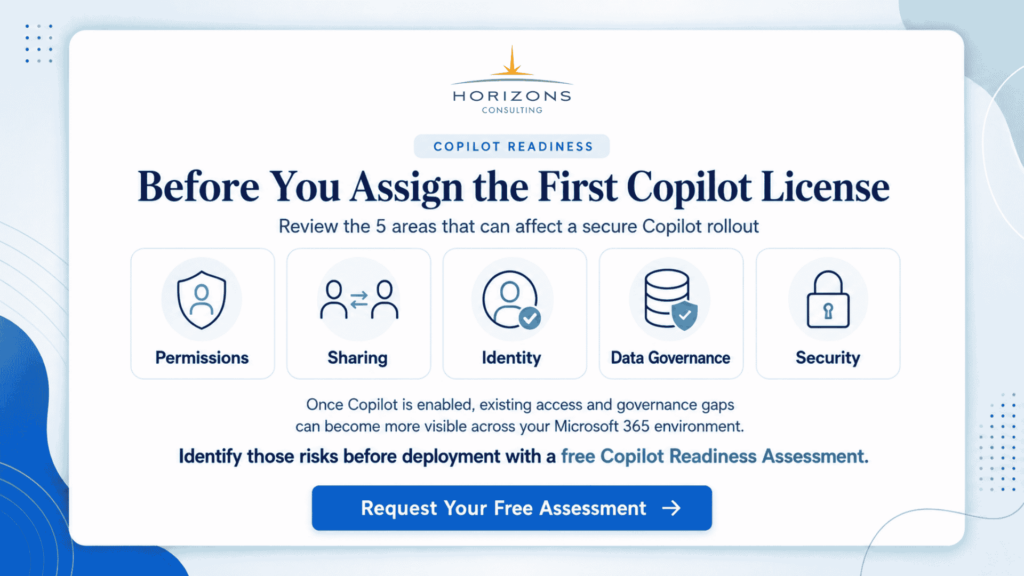
The focus is practical. We review the areas that usually create risk during Copilot or broader AI adoption, including Microsoft 365 permissions, SharePoint and Teams access, identity controls, data governance, AI usage policies, and employee readiness.
This gives leaders a clearer view of what is safe to move forward with, what needs cleanup, and where a narrower pilot may be the better first step.
For organizations considering Microsoft Copilot, Horizons can help identify oversharing risks, weak access controls, missing governance, and policy gaps that may affect security or compliance. The goal is not to slow down AI adoption. It is to make sure the foundation is strong enough to support it.
A readiness review also helps create a practical roadmap. Instead of guessing where to begin, teams can prioritize the highest-risk gaps first, assign ownership, and move toward AI adoption with more confidence.
Closing thought
AI can help teams work faster, but speed only creates value when the foundation is ready.
If your organization is considering Microsoft Copilot or broader AI adoption, the first step should not be a company-wide rollout. It should be an honest look at your current environment: your data, permissions, identity controls, governance, policies, and people.
An AI readiness assessment gives leaders that view. It helps separate what is ready from what needs cleanup, and it gives teams a practical path to move forward without creating avoidable risk.
The safest approach is simple: assess first, fix the highest-risk gaps, then scale AI with more confidence
FAQs
Why do organizations need an AI readiness assessment before adopting Copilot or other AI tools?
Organizations need an AI readiness assessment because AI tools are only effective when the environment around them is ready. A tool like Microsoft Copilot can improve productivity, but it can also expose weaknesses if data permissions are messy, policies are missing, or employees are not trained properly. In other words, the technology alone does not guarantee success. The surrounding operating model matters just as much.
An assessment helps leaders understand whether they are prepared for real-world use, not just a pilot demo. It can uncover issues such as oversharing in Microsoft 365, lack of governance, or unclear business objectives. By identifying these issues early, the organization can reduce risk, improve adoption, and make smarter decisions about where AI should be introduced first.
What are the most common warning signs that an organization is not ready for AI?
Some of the clearest warning signs include unclear AI use cases, poor data ownership, broad Microsoft 365 permissions, employees using unapproved AI tools, and no formal AI usage policy. Other red flags include weak identity controls, limited employee training, and no way to measure the value AI is delivering. Each of these signs points to a deeper issue in readiness.
When several of these problems exist at once, AI adoption becomes harder to manage and easier to misuse. The organization may still be interested in AI, but it has not yet built the basic safeguards and structures needed to support it. That does not mean AI should be avoided forever. It simply means the organization should address those foundational issues before scaling use across the business.
An assessment helps leaders understand whether they are prepared for real-world use, not just a pilot demo. It can uncover issues such as oversharing in Microsoft 365, lack of governance, or unclear business objectives. By identifying these issues early, the organization can reduce risk, improve adoption, and make smarter decisions about where AI should be introduced first.
Why is having clear AI use cases so important?
Clear AI use cases matter because AI should solve a specific business problem, not just be adopted because it is trending. If leaders cannot explain what problem AI is meant to solve, who will use it, and what benefit it should create, then the initiative is likely to remain vague and underwhelming. Clear use cases give direction and help the organization focus its time and budget on the most meaningful opportunities.
This also makes it easier to measure success. For example, if AI is meant to reduce the time spent drafting internal documents or summarizing meetings, then the organization can track whether that outcome actually improves. Without defined use cases, it becomes difficult to know whether AI is helping, wasting time, or simply creating noise.
What role do employee training and AI usage policies play in readiness?
Employee training and AI usage policies are essential because people are the ones making decisions about how AI is used every day. A policy gives them clear boundaries: which tools are approved, what types of data can be used, what must be reviewed by humans, and when escalation is required. Without that structure, users tend to improvise, and that can lead to inconsistent practices or accidental data exposure.
Training is just as important because even good tools can be misused if people do not understand them. Employees need to know how to write better prompts, verify outputs, and avoid sharing sensitive information inappropriately. When policy and training work together, adoption becomes more consistent, safer, and more valuable to the business.
This also makes it easier to measure success. For example, if AI is meant to reduce the time spent drafting internal documents or summarizing meetings, then the organization can track whether that outcome actually improves. Without defined use cases, it becomes difficult to know whether AI is helping, wasting time, or simply creating noise.
Why are Microsoft 365 permissions such a major concern for Copilot readiness?
Microsoft 365 permissions matter because Copilot works within the access structure already in place. If users have access to content they should not see, Copilot may surface that information in ways that are easy to miss but hard to reverse. This means that old sharing habits, poorly managed folders, and broad site permissions can become a serious risk once AI is introduced.
A readiness review should therefore check how documents, sites, Teams, and personal files are being shared. The goal is to make sure access reflects actual business need, not just convenience or historical clutter. Clean permissions improve both security and the quality of the AI experience. They also reduce the chance that Copilot will expose sensitive information to the wrong people.
Training is just as important because even good tools can be misused if people do not understand them. Employees need to know how to write better prompts, verify outputs, and avoid sharing sensitive information inappropriately. When policy and training work together, adoption becomes more consistent, safer, and more valuable to the business.
This also makes it easier to measure success. For example, if AI is meant to reduce the time spent drafting internal documents or summarizing meetings, then the organization can track whether that outcome actually improves. Without defined use cases, it becomes difficult to know whether AI is helping, wasting time, or simply creating noise.