Horizons Consulting

Secure Identity and Access During Post-Merger and Acquisition Integration

After a merger or acquisition, identity becomes the control layer for every Microsoft workstream. Horizons helps enterprise IT teams bring control to Microsoft tenants, Entra ID, Active Directory, privileged access, guest users, Conditional Access, and hybrid identity before access risk spreads across the combined organization.

Identity Is Where M&A Complexity Becomes Access Risk

Post Merger and Acquisition integration often begins with a simple business need:  

People need to work together. 

Employees need email access. Leaders need shared calendars. Teams need collaboration spaces. Applications need authentication. Cloud resources need permissions. Vendors and contractors may need temporary access. 

But every access decision carries risk if the identity foundation is unclear. 

After a deal, IT may inherit: 

  • Separate Microsoft Entra ID tenants 
  • Legacy Active Directory forests 
  • Duplicate users and groups 
  • Unclear domain ownership 
  • Old service accounts 
  • Stale admin roles 
  • Guest users without lifecycle controls 
  • Inconsistent MFA requirements 
  • Different Conditional Access policies 
  • Hybrid identity dependencies 
  • Applications tied to older authentication models 
  • Permissions that no longer match business roles 

The issue is not only that two environments exist. 

The issue is that every identity, group, role, and access policy may now affect the security of the combined organization. 

Horizons helps enterprise teams understand which identities can be trusted, which access paths need to be secured, and which identity decisions should happen before broader integration work begins. 

Tenant Integration Is Not Always Tenant Consolidation

Many organizations assume that Microsoft tenant integration means immediate tenant consolidation. That is not always the safest first move. The right strategy depends on business structure, security requirements, application dependencies, compliance obligations, user impact, and the long-term operating model.

Tenant Consolidation

When the long-term goal is one Microsoft environment, one identity model, one security baseline, and one collaboration experience.

Horizons helps assess tenant readiness and define what must be cleaned up before consolidation begins.

Secure Coexistence

When users from both companies need to collaborate before full migration is possible, with access controls and clear boundaries.

Horizons helps plan cross-tenant access, guest user controls, collaboration boundaries, and security policies so temporary access does not become permanent exposure.

Phased Identity Integration

When users, applications, business units, regions, and workloads need to transition in stages.

Horizons helps plan phased identity integration so access, authentication, and security controls stay aligned during each stage.

Controlled Separation

When certain tenants or business units need to remain separate because of compliance, geography, or future divestiture plans.

Horizons helps define clear identity boundaries while still supporting the secure access the business needs.

Where Identity and Access Risk Usually Hides

Identity risk after M&A is not always obvious. A user can still sign in. A Teams channel can still open. An Azure admin can still manage resources.

But working access does not always mean safe access.

multiple microsoft tenant

Multiple Microsoft Tenants

Separate tenants often mean separate users, domains, licenses, access policies, security defaults, collaboration settings, and administrative models.

Without a clear tenant strategy, IT teams may end up managing duplicate identities, inconsistent policies, and unclear ownership across environments.

Horizons helps assess the current tenant landscape and define whether the right path is consolidation, coexistence, phased migration, or separation.
Legacy Active Directory risk

Legacy Active Directory Risk

Active Directory may still support business-critical authentication, applications, service accounts, and administrative access.

But older AD environments can carry risk through stale users, nested groups, outdated trusts, domain admin exposure, weak authentication, and undocumented dependencies.

Horizons helps review Active Directory before those risks become part of the future-state Microsoft environment.
Privileged Access Sprawl

Privileged Access Sprawl

Privileged access often expands over time.

After an acquisition, the combined organization may inherit global admins, domain admins, Azure owners, service accounts, break-glass accounts, and privileged groups that were never designed for a shared operating model.

Horizons helps identify high-risk roles, reduce unnecessary access, and align privilege with stronger governance.
Guest User Growth

Guest User Growth

Business teams often need fast collaboration after a deal. That usually leads to guest users, external sharing, cross-tenant access, and temporary collaboration models.

Without ownership and lifecycle rules, guest access can grow quickly and remain long after it is needed.

Horizons helps plan guest access governance so collaboration stays controlled.
Conditional Access Gaps

Conditional Access Gaps

MFA, device compliance, location-based access, risk-based controls, and session policies may differ across the two organizations.

These gaps can create inconsistent user experience and uneven security enforcement.

Horizons helps align Conditional Access and MFA policies across the combined environment.
Group and Role Confusion

Group and Role Confusion

Groups often reflect old departments, old systems, old projects, or decisions made years ago.

After M&A, those groups may no longer match the new business structure.

Horizons helps review group ownership, role mapping, duplication, nesting, and lifecycle gaps so access can be simplified and governed.
Hybrid Identity Dependencies

Hybrid Identity Dependencies

Many enterprise environments still depend on hybrid identity.

Applications may rely on Active Directory. Authentication may depend on synchronization tools. Some users may be cloud-only while others remain tied to legacy infrastructure.

Horizons helps map hybrid identity dependencies before integration decisions create unexpected disruption.
Microsoft Copilot Permission Risk

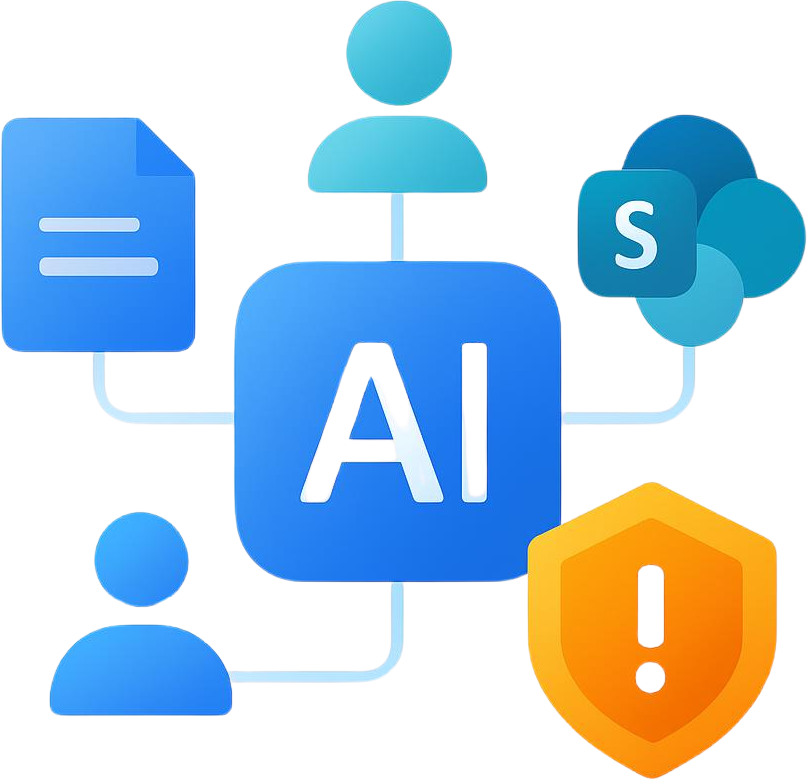
Copilot Permission Risk

Microsoft Copilot depends on identity, permissions, and data access.

If users have excessive access, groups are outdated, SharePoint sites are overexposed, or guest access is not governed, Copilot can surface information that should have been restricted.

Horizons helps clean up identity and access controls so Copilot readiness is built on a safer foundation.
Secure the Identity Layer Before Access Risk Spreads

Horizons helps enterprise teams move from identity uncertainty to a more controlled Microsoft access model. 

Our work is not limited to tenant migration. We help organizations understand access risk, reduce privilege, plan tenant strategy, improve collaboration controls, and build a future-state identity foundation. 

Microsoft Tenant Strategy

Tenant decisions shape the rest of the integration. 

Horizons helps evaluate whether the right approach is tenant consolidation, secure coexistence, phased identity integration, or controlled separation. 

We Consider :

The goal is to choose a tenant path that supports both the business and the security model. 

Entra ID and Active Directory Assessment

Horizons reviews Microsoft Entra ID and Active Directory to understand how identity is structured today and what needs to change. 

We Assess :

This helps determine whether the identity foundation is ready for integration, coexistence, or consolidation. 

Privileged Access Review

Privileged access is one of the first areas to secure during post-merger and acquisition integration. 

Horizons helps identify where high-risk access exists and how it should be reduced or governed. 

We Review

The goal is to reduce standing privilege and improve control before inherited access becomes part of the new operating model. 

Conditional Access and MFA Alignment

Access policies need to be consistent enough to protect the combined organization without creating unnecessary user friction. 

Horizons helps review and align :

This helps build a more consistent access experience across Microsoft 365, Azure, applications, and devices. 

Guest Access and Cross-Tenant Collaboration

Collaboration pressure increases quickly after a deal. 

Horizons helps plan secure cross-tenant collaboration so users can work together without opening the environment too broadly. 

We help define:

The goal is to support business speed while keeping access governed.

Group, Role, and Lifecycle Cleanup

Groups and roles often become messy after years of growth, reorganizations, and one-off access requests. 

M&A makes that problem larger. 

Horizons helps clean up identity structures before they are carried into the future-state environment. 

We support :

This reduces access drift and makes identity easier to manage after integration. 

A Practical Identity Decision-Ready Roadmap
Path for Post Merger and Acquisition Integration

Identity integration needs a clear sequence. 

Trying to consolidate tenants, clean up access, support collaboration, and modernize identity all at once can create confusion. 

Horizons helps enterprise teams follow a practical path.

01

Map the Identity Landscape

The first step is to understand the current environment.

Horizons helps map tenants, domains, users, groups, privileged roles, Active Directory forests, guest users, service accounts, applications, and hybrid dependencies.

Outcome:
A clear view of the identity systems the combined organization must manage.

02

Identify What Can Be Trusted

Not every account, device, role, or permission should be trusted automatically.

Horizons helps review users, devices, admin roles, service accounts, MFA coverage, Conditional Access, and high-risk permissions.

Outcome:
A clearer view of what access is safe, what needs control, and what requires immediate review.

03

Secure Privilege First

Privileged access creates the highest risk during M&A.

Horizons helps prioritize global admins, domain admins, Azure owners, service accounts, break-glass accounts, and privileged groups.

Outcome:
Reduced exposure from high-risk access before broader integration begins.

04

Enable Controlled Collaboration

Users need to work together before every system is fully integrated.

Horizons helps plan secure collaboration across tenants, Teams, SharePoint, OneDrive, Microsoft 365 Groups, and business-critical applications.

Outcome:
Business collaboration can move forward without turning temporary access into permanent risk.

05

Clean Before You Consolidate

Consolidating messy identity structures can make the future-state environment harder to manage.

Horizons helps reduce stale accounts, duplicate groups, outdated roles, overextended permissions, and legacy AD risk before migration.

Outcome:
A cleaner foundation for tenant consolidation, coexistence, or phased migration.

06

Build the Future-State Identity Model

The final goal is not simply to connect environments.

It is to build a Microsoft identity model that supports the future business.

Horizons helps define tenant structure, access policies, lifecycle controls, group strategy, endpoint requirements, privileged access governance, and security alignment.

Outcome:
A more trusted identity foundation for Microsoft 365, Azure, security, endpoints, and Copilot readiness.

Microsoft Identity and Access Systems We Help Align

Post merger and acquisition integration touches identity across the Microsoft ecosystem. 

Horizons helps align the systems that control who can access users, data, applications, cloud resources, and devices.

Microsoft Entra ID

Microsoft Entra ID

  • Tenants
  • Users and Groups
  • Roles and Administrators
  • Conditional Access
  • MFA (Multi-Factor Authentication)
  • Privileged Identity Management (PIM)
  • Identity Protection
  • Cross-Tenant Access

Active Directory

Active Directory

  • Forests and Domains
  • Trust Relationships
  • Domain Admins
  • Security Groups
  • Service Accounts
  • Authentication Dependencies
  • Legacy Applications
  • Group Policy Considerations

Hybrid Identity

Hybrid Identity

  • Entra Connect
  • Synchronization Scope
  • Federation Dependencies
  • Password Hash Sync
  • Pass-Through Authentication
  • Hybrid Access Patterns
  • Identity Lifecycle Alignment

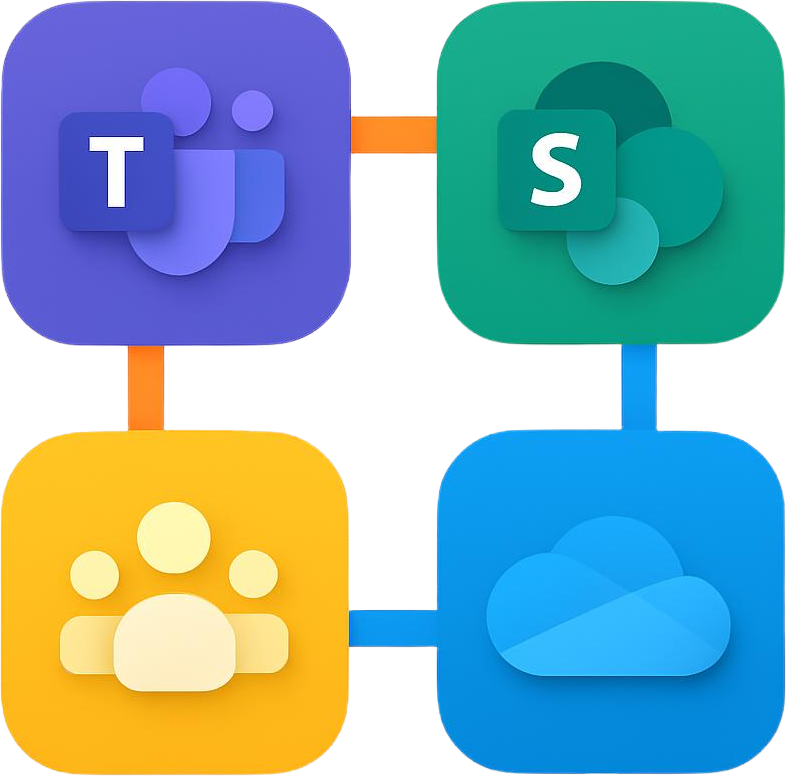
Microsoft 365 assess

Microsoft 365 Access

  • Microsoft Teams
  • SharePoint Online
  • OneDrive
  • Exchange Online
  • Microsoft 365 Groups
  • Guest Users
  • External Sharing
  • Collaboration Governance

Azure Access

Azure Access

  • Azure Subscriptions
  • Role Assignments
  • Management Groups
  • Resource Access
  • Privileged Roles
  • Azure Policy Alignment
  • Landing Zone Access Model

End point device access

Endpoint and Device Access

  • Microsoft Intune
  • Device Compliance
  • Windows Autopilot
  • Conditional Access Requirements
  • Endpoint Baselines
  • Co-Management Needs
  • Device Trust Model

Security & compliance

Security and Compliance

  • Microsoft Defender
  • Microsoft Sentinel
  • Microsoft Purview
  • Identity Protection
  • Access Monitoring
  • Logging and Alerting
  • Zero Trust Controls
  • Data Protection

Identity Priorities Across the Decision-Ready Roadmap

Identity work should match the stage of the integration. 

Not every decision belongs on Day 1. But high-risk access should not wait until the future state. 

Horizons helps enterprise teams prioritize identity work before Day 1, during early stabilization, and across long-term transformation.

Before Day 1

Before teams begin working across environments, IT needs a clear view of access risk.

Priorities include:

  • Identify High-Risk Users and Roles
  • Review Privileged Access
  • Map Tenant and AD Dependencies
  • Define Secure Collaboration Needs
  • Validate MFA Coverage
  • Review Conditional Access Policies
  • Identify Critical Application Dependencies
  • Review Guest Access Requirements

Goal:

Reduce the chance of access surprises when the business begins operating across environments.

Day 1

Day 1 is about controlled access.
Users need to work, but the environment should not be opened without boundaries.

Priorities include:

  • Enable Critical User Access
  • Support Executive and Business-Critical Roles
  • Protect Admin Accounts
  • Set Collaboration Boundaries
  • Monitor High-Risk Sign-Ins
  • Apply MFA Where Needed
  • Support Help Desk Escalation
  • Limit Temporary Access Where Possible

Goal:

Keep the business moving while maintaining control over identity and access.

First 100 Days

The first 100 days are the right time to reduce identity sprawl and improve governance.

Priorities include:


  • Clean Up Stale Users and Groups
  • Rationalize Admin Roles
  • Align Conditional Access Policies
  • Improve Guest Access Governance
  • Review Service Accounts
  • Reduce Duplicate Identities
  • Prepare Tenant or Identity Migration
  • Improve Lifecycle Management

Goal:

Create a More Secure and Manageable Identity Model for the Combined Organization.

Future State

The future-state identity model should support the business after the transition is complete.

Priorities include:


  • Consolidate or Segment Tenants Where Appropriate
  • Standardize Identity Lifecycle Processes
  • Mature Zero Trust Controls
  • Align Identity with Azure Governance
  • Align Identity with Microsoft 365 Governance
  • Strengthen Endpoint Compliance Integration
  • Improve Privileged Access Governance
  • Prepare for Copilot and AI Readiness

Goal:

Build an Identity Foundation That Supports Security, Collaboration, Automation, and Long-Term Cloud Maturity.

Decision-Ready Roadmap Why Enterprise Teams
Bring Horizons Into Identity Integration

Identity integration requires more than connecting directories or moving users. 

It requires understanding where access risk hides, how Microsoft systems depend on each other, and what should be secured before broader integration begins.

We Treat Identity as the Foundation, Not a Workstream

Identity controls who can access every system, workload, device, and dataset.

Horizons starts with identity because it shapes Microsoft 365 collaboration, Azure governance, endpoint management, security monitoring, and Copilot readiness.

We Understand Both Cloud Identity and Legacy AD

Post-deal environments often include both modern Entra ID and older Active Directory dependencies.

Horizons helps bridge cloud identity, hybrid identity, and legacy AD realities so integration decisions do not break critical access.

We Secure Before We Migrate

A rushed migration can carry old privilege, stale accounts, and weak access patterns into the future-state environment.

Horizons helps reduce high-risk access before it becomes part of the new operating model.

We Balance Collaboration and Control

Business users need to work together quickly after a deal.

Horizons helps enable collaboration while applying boundaries around guest users, cross-tenant access, Microsoft 365 sharing, and admin roles.

We Build Toward Microsoft Security and Copilot Readiness

Clean identity and governed permissions support stronger security and safer AI adoption.

Horizons helps align identity with Microsoft Defender, Sentinel, Purview, Conditional Access, endpoint compliance, and Copilot readiness.

What Strong Identity Integration Makes Possible

Strong identity integration gives the combined organization a safer foundation for every Microsoft workstream.

With Horizons, enterprise teams can work toward:

  • Clearer tenant and identity strategy 
  • Reduced privileged access risk 
  • Cleaner Active Directory and Entra ID foundations 
  • Safer cross-tenant collaboration 
  • Better Conditional Access and MFA alignment 
  • Stronger control over guest users 
  • Less identity sprawl 
  • Improved Azure access governance 
  • Improved Microsoft 365 access governance 
  • Better endpoint compliance integration 
  • Stronger Zero Trust foundation 
  • Improved readiness for Microsoft Copilot 
  • More manageable post merger and acquisition integration 

The goal is not just to connect users. 

The goal is to create an identity model the combined business can trust.

Continue the Microsoft M&A Integration Journey

Identity and access are central to the broader M&A integration roadmap. 

Explore related Horizons services: 

M&A Due Diligence

Assess inherited Microsoft risk before integration decisions are made. 

Use this service to understand tenant complexity, identity exposure, Azure governance gaps, endpoint risk, and security blind spots. 

Azure & Infrastructure Integration After M&A

Bring Azure subscriptions, workloads, networks, policies, and governance under control. 

Use this service to align inherited cloud and infrastructure with a more secure, scalable Microsoft operating model. 

Post-Merger Microsoft 365 & Security Integration

Stabilize collaboration, endpoint management, Microsoft 365 security, Defender, Sentinel, Purview, and data protection after the deal closes. 

Use this service to keep users productive while reducing inherited security and data exposure.

Microsoft M&A Integration Services

Return to the main M&A integration hub to see how Horizons supports the full journey from readiness to long-term modernization. 

Secure the Identity Layer Before You Move the Environment

Post-merger and acquisition integration depends on access decisions that are often made under pressure. 

Horizons helps enterprise IT teams understand tenant complexity, reduce privileged access risk, align Entra ID and Active Directory, secure cross-tenant collaboration, and build an identity foundation that the combined organization can trust. 

Because before you migrate users, consolidate tenants, or expand collaboration, you need to know who should have access, and why.