Microsoft 365 & Security Integration After M&A
After a merger or acquisition, people need to work together fast. But email, Teams, files, devices, and guest access can quickly create security and data exposure.
Horizons helps enterprise IT teams keep collaboration moving while bringing Microsoft 365 access, endpoint security, data protection, and threat visibility under control.
Collaboration Needs Speed Security Needs Boundaries
After the M&A, Microsoft 365 becomes the shared workspace for the combined business. Email, Teams, SharePoint, OneDrive, and devices need to support users quickly, but not at the cost of control.
Horizons helps IT teams create a secure collaboration model that defines:
- Who can access what
- Which Teams and sites should be shared
- How guest users are managed
- Which devices are trusted
- Where sensitive data needs protection
- How security alerts are monitored
Outcome: Users stay productive while Microsoft 365 access, sharing, endpoint security, and data protection are brought under control.
Microsoft 365 Integration Is Not Just Mailbox Migration
Moving mailboxes is only one part of Microsoft 365 integration after M&A.
A strong integration plan also needs to answer:
Moving mailboxes is only one part of Microsoft 365 integration after M&A.
A strong integration plan also needs to answer:
- How will users collaborate before full migration?
- Which Teams, sites, and files should move?
- Which content is sensitive or overexposed?
- Who can invite guests?
- Which devices can access company data?
- Are Defender and Intune policies aligned?
- Are Purview controls protecting the right content?
- Are security alerts going to the right team?
- Is the environment ready for Microsoft Copilot later?
Horizons helps enterprise teams look beyond migration and build a Microsoft 365 environment that is easier to secure, manage, and govern after the deal.
What Microsoft 365 & Security Integration Really Covers
Microsoft 365 and security integration after M&A brings together productivity, access, endpoint management, data protection, and security operations.
Horizons helps enterprise teams focus on the areas that matter most.
Tenant-to-Tenant Migration Planning
Microsoft 365 tenant migration needs careful planning across users, domains, mailboxes, files, groups, permissions, security policies, and migration timing.
Horizons helps map the source and target environments so the organization can decide what should move, what should remain, and what needs cleanup before migration.
What this helps answer:
- Which users and workloads need migration?
- Which domains are involved?
- Which content needs special handling?
- What should move in phases?
- What must be secured before cutover?
Exchange and Mailbox Continuity
Email is one of the most visible parts of post-deal integration.
If mail flow, calendars, shared mailboxes, or executive access break, users feel it immediately.
Horizons helps review Exchange Online, mail routing, mailbox migration readiness, shared mailboxes, distribution lists, archive needs, domain planning, and cutover risk.
What this helps answer:
- Can users continue sending and receiving email?
- Which mailboxes are business-critical?
- Are shared mailboxes and groups mapped?
- Are archive and compliance needs understood?
- What is the safest migration sequence?
Teams, SharePoint, and OneDrive Collaboration
After M&A, Teams and file sharing often become the fastest way for people to work together.
But fast sharing can create risk if permissions, ownership, and external access are not reviewed.
Horizons helps assess Teams structures, SharePoint sites, OneDrive content, Microsoft 365 Groups, site ownership, guest access, external sharing, and sensitive content exposure.
What this helps answer:
- Which Teams and sites are active?
- Who owns each workspace?
- Which files are shared externally?
- Which sites contain sensitive data?
- What should be migrated, archived, or cleaned up?
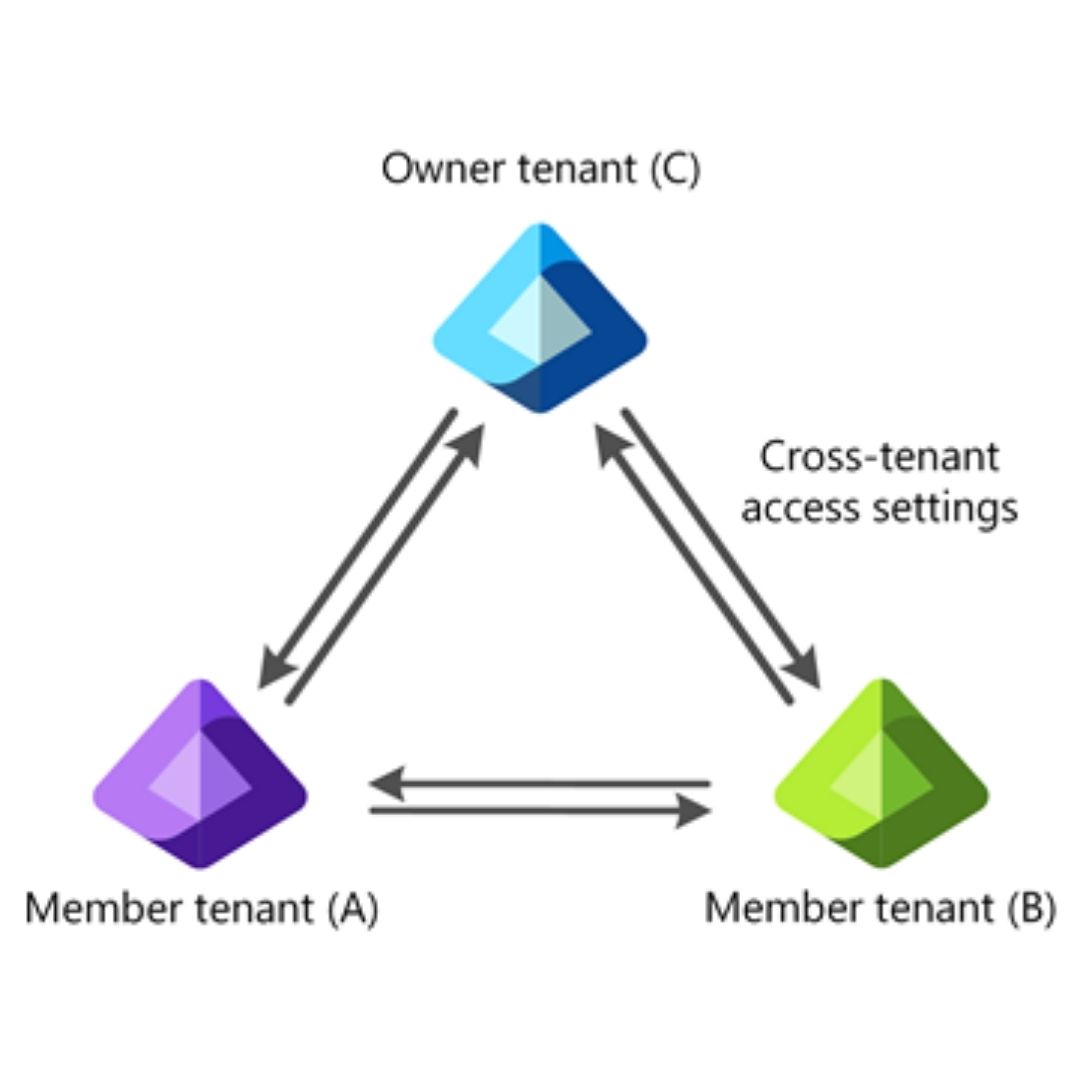
Cross-Tenant Collaboration and Guest Access
Not every organization can consolidate tenants immediately.
In many M&A projects, users need to collaborate across tenants before full migration happens.
Horizons helps plan secure cross-tenant collaboration, guest access rules, inbound and outbound access, external sharing, Teams collaboration, SharePoint access, and guest lifecycle governance.
What this helps answer:
- Should users collaborate as guests first?
- Which domains should be allowed?
- Who can invite external users?
- How long should temporary access remain?
- How will guest access be reviewed and removed?
Microsoft Defender and Secure Score Alignment
Security posture can vary widely between two Microsoft 365 environments.
One tenant may have strong Defender coverage. Another may have gaps in policies, alerts, endpoint onboarding, email protection, or secure score recommendations.
Horizons helps review Microsoft Defender XDR, Defender for Endpoint, Defender for Office 365, Defender for Cloud Apps, Microsoft Secure Score, alert routing, and high-priority security recommendations.
What this helps answer:
- Is Defender coverage consistent?
- Which risks need attention first?
- Are alerts routed to the right team?
- Are endpoint and email threats visible?
- Which security gaps affect Day 1 and beyond?
Endpoint and Intune Security
Microsoft 365 security depends heavily on device trust.
If users access Microsoft 365 from unmanaged or non-compliant devices, the combined organization may inherit risk through endpoints.
Horizons helps assess Intune enrollment, device compliance, security baselines, Defender for Endpoint onboarding, patch visibility, Autopilot readiness, co-management needs, and Conditional Access alignment.
What this helps answer:
- Which devices are managed?
- Which devices are non-compliant?
- Are security baselines aligned?
- Are endpoints protected by Defender?
- Which devices should be blocked, remediated, or transitioned?
Purview Data Protection and Compliance
M&A can bring large volumes of Microsoft 365 content into the combined organization.
Some content may be sensitive.
Some may be regulated.
Some may be under retention.
Some may be shared too broadly.
Horizons helps review Microsoft Purview readiness across sensitivity labels, DLP, retention policies, eDiscovery dependencies, data lifecycle controls, external sharing, and information protection.
What this helps answer:
- Where is sensitive data stored?
- Is content labeled or protected?
- Are DLP policies aligned?
- Are retention rules understood?
- Are legal or compliance holds in place?
Security Operations and Alert Visibility
After a deal, security teams need to know what is happening across both environments.
If alerts, roles, logs, and escalation paths are not aligned, risk can be missed.
Horizons helps review Microsoft Defender portal access, Sentinel integration, alert routing, security roles, incident response process, logging coverage, monitoring gaps, and escalation paths.
What this helps answer:
- Who can see security alerts?
- Where do incidents route?
- Are security roles aligned?
- Are logs collected and retained?
- Can the right team respond quickly?
Power Platform and Workflow Dependencies
Microsoft 365 environments often include business-critical Power Apps, Power Automate flows, Dataverse environments, service accounts, and connectors.
These workflows may not be visible during early planning, but they can affect daily operations.
Horizons helps identify Power Platform environments, app ownership, automation dependencies, DLP policies, service accounts, and workflow migration considerations.
What this helps answer:
- Which apps and flows support the business?
- Who owns them?
- Which connections and accounts do they depend on?
- Are DLP policies aligned?
- Should workflows be migrated, rebuilt, or retired?
Copilot Readiness and Oversharing Cleanup
Microsoft Copilot readiness depends on identity, permissions, data access, labels, and governance.
If users already have access to too much, Copilot can make that overexposure easier to find.
Horizons helps review SharePoint and OneDrive oversharing, Microsoft 365 Groups, Teams content, guest users, Purview controls, sensitivity labels, DLP, and permission cleanup.
What this helps answer:
- Is content overshared?
- Are groups and permissions clean?
- Are labels and DLP policies ready?
- Is guest access controlled?
- Is the environment ready for safer Copilot adoption?
The Decisions Horizons Helps You Make
Microsoft 365 integration after M&A is a sequence of decisions that affect productivity, security, data, and user experience.
Some users may need immediate collaboration before full tenant migration is ready.
Not every Team, site, or file library should be opened to everyone.
Migrating overshared content can carry old data exposure into the future-state tenant.
Some devices may need immediate controls, while others may need a managed transition.
Security visibility should start with the areas that carry the most risk.
Compliance requirements may affect what can move, what must stay, and what needs special handling.
Groups, permissions, and site access should be reviewed before Copilot expands discoverability.
Apps and workflows can quietly support critical processes and should not be missed during integration.
Move From Collaboration Pressure to Governed Microsoft 365
Horizons helps enterprise teams move from post-deal collaboration pressure to a more Secure and Governed Microsoft 365 Environment.
01
Map Users, Content, Devices, and Collaboration
Identify tenants, users, mailboxes, Teams, SharePoint sites, OneDrive content, devices, guests, groups, security tools, and compliance dependencies.
Outcome:
Clear view of the Microsoft 365 environment after M&A.02
Stabilize Day 1 Productivity
Support email, Teams, file access, calendars, executive users, critical departments, and help desk readiness.
Outcome:
Users can keep working while integration planning continues.03
Secure Sharing and Access
Review guest access, external sharing, site permissions, Microsoft 365 Groups,
Outcome:
Collaboration continues with stronger control.04
Align Defender, Intune, Sentinel, and Purview
Review endpoint security, security monitoring, data protection, compliance controls, alert routing, and policy alignment.
Outcome:
Better security visibility across the combined environment.05
Clean Up for Long-Term Governance
Rationalize groups, permissions, content, devices, workflows, and policies before full migration or future-state standardization.
Outcome:
A cleaner foundation for Microsoft 365 governance and Copilot readiness.Microsoft Tools and Areas Covered
Exchange Online
Mailbox migration, shared mailboxes, distribution lists, mail routing, calendars, archives, and cutover planning.
Microsoft Teams
Teams structure, channels, collaboration policies, guest access, meeting settings, ownership, and lifecycle planning.

SharePoint Online
Site ownership, external sharing, permissions, sensitive content exposure, site cleanup, and migration readiness.
OneDrive
User files, sharing links, ownership, migration planning, retention needs, and oversharing review.

Microsoft 365 Groups
Group ownership, membership, permissions, Teams-connected groups, stale groups, and lifecycle governance.
Cross-Tenant Collaboration
Guest access, external users, cross-tenant access settings, coexistence planning, and collaboration boundaries.

Microsoft Intune
Device enrollment, compliance policies, security baselines, app protection, Autopilot readiness, and endpoint transition.

Microsoft Defender XDR
Threat visibility, Defender for Endpoint, Defender for Office 365, Defender for Cloud Apps, secure score, and alert routing.

Microsoft Sentinel
Security monitoring, log collection, incident visibility, alert workflows, and security operations integration.

Microsoft Purview
Sensitivity labels, DLP, retention, eDiscovery dependencies, information protection, and compliance controls.

Power Platform
Power Apps, Power Automate, Dataverse, connectors, ownership, DLP policies, and workflow dependencies.
Microsoft Copilot Readiness
Permission cleanup, oversharing review, group governance, Purview alignment, and safer AI adoption planning.
What Strong Microsoft 365 & Security Integration Makes Possible
With Horizons, enterprise teams can work toward:
- More stable email and mailbox continuity
- Safer Teams, SharePoint, and OneDrive collaboration
- Cleaner guest access and external sharing
- Better Microsoft 365 tenant migration planning
- Stronger endpoint compliance with Intune
- Improved Defender and Sentinel visibility
- Better data protection with Purview
- Reduced oversharing and permission risk
- Clearer Microsoft 365 Groups governance
- Better Power Platform dependency visibility
- Stronger Microsoft Copilot readiness
- A more secure collaboration model after M&A
The goal is not just to keep users productive.
The goal is to keep users productive without carrying forward security and data risk.
Continue the Microsoft M&A Integration Journey
M&A due diligence is often the first step. The next step is turning visibility into controlled integration.
Explore our related services:
M&A Due Diligence
Assess inherited Microsoft risk before integration decisions are made.
Tenant, Identity & Access Integration
Secure users, tenants, Active Directory, Entra ID, privileged access, and collaboration controls.
Azure & Infrastructure Integration After M&A
Bring Azure subscriptions, workloads, networks, policies, and governance under control.
Microsoft M&A Integration Services
Return to the main M&A integration hub.
Keep Users Productive Without Carrying Forward Security Risk
After M&A, Microsoft 365 becomes the workspace for the combined business.
But collaboration should not move faster than control.
Horizons helps enterprise IT teams stabilize Microsoft 365, align security tools, protect data, manage endpoints, clean up access, and prepare the environment for long-term governance and Copilot readiness.