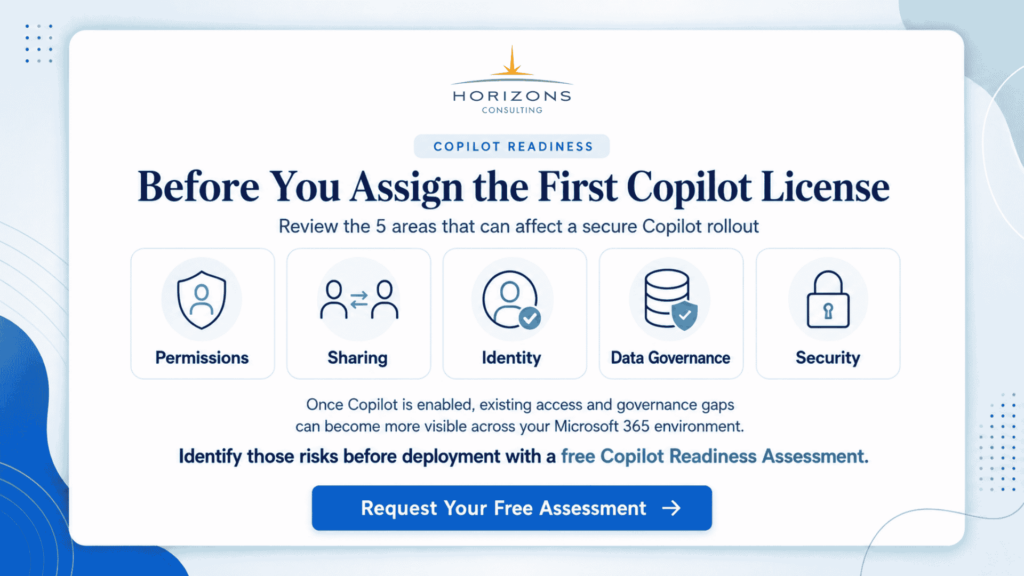
Microsoft 365 Copilot Security Assessment: Is Your Organization Ready?
Microsoft 365 Copilot is quickly moving from a curiosity to a business-critical tool. It promises faster content creation, better insights, and more productive teams. But there is a quieter, more important question most organizations are still figuring out:
Are we actually ready for it?
Not from a licensing or deployment standpoint, but from a security and governance perspective.
Because Copilot doesn’t just generate content. It surfaces what already exists across your Microsoft 365 environment. Emails, documents, chats, meeting notes, SharePoint files, everything becomes part of its intelligence layer. That’s powerful. And potentially risky.
This is where Microsoft 365 Copilot security readiness becomes essential.
In this article, we will break down what a Copilot security assessment involves, why it matters, and how organizations, especially those operating in regulated or complex environments, can approach it without slowing down innovation.
Table of Contents
- Why Copilot Changes Your Security Assumptions
- What Microsoft 365 Copilot Security Readiness Really Means
- What a Copilot Security Assessment Covers
- Access and Permission Review
- Data Classification and Sensitivity Labels
- Data Loss Prevention Effectiveness
- Content Sprawl and Data Hygiene
- Audit Logs and Monitoring Readiness
- The Role of an AI Security Readiness Assessment
- Common Copilot Readiness Gaps Organizations Find
- Risks of Skipping a Copilot Security Assessment
- How Microsoft-Focused Partners Approach Copilot Readiness
- Practical Steps to Prepare for Microsoft 365 Copilot
- A Practical Copilot Security Assessment Example
- Why Copilot Readiness Depends on Data Maturity
- What Decision-Makers Should Do Next
- Frequently Asked Questions
Key takeaways
- Microsoft 365 Copilot security readiness depends on strong identity controls, clean permissions, and governed data; Copilot amplifies existing risks rather than introducing entirely new vulnerabilities.
- A comprehensive Copilot security assessment uncovers overexposed data, inconsistent access, and weak policies, helping organizations fix foundational issues before enabling AI across Microsoft 365 environments.
- Copilot data governance is critical because AI surfaces accessible content; without proper classification, labeling, and controls, sensitive data can be unintentionally exposed through everyday queries.
- An AI security readiness assessment ensures organizations align technology, policies, and user behavior, reducing risks tied to AI adoption while maintaining compliance and operational control.
- A structured Microsoft 365 Copilot readiness assessment enables safer AI adoption by improving data hygiene, strengthening DLP policies, and aligning security practices with modern Zero Trust principles.
Why Copilot changes your security assumptions
Traditional software tools operate within defined boundaries. Copilot doesn’t.
It works across Microsoft Graph, pulling contextual data from multiple sources to generate responses. That means it doesn’t introduce new data risks; it amplifies existing ones.
If your environment already has:
- Over-permissioned SharePoint sites
- Poorly classified documents
- Sensitive data stored in Teams chats
- Inconsistent access controls
Copilot will not fix those issues. It will expose them faster and more broadly.
For example, imagine an employee asking Copilot:
“Summarize recent financial planning documents.”
If permissions are not tightly controlled, Copilot may surface sensitive financial data that the user technically has access to, but should not realistically be using.
This is why AI readiness and data governance for Microsoft 365 should form the foundation of a Copilot deployment strategy.
What Microsoft 365 Copilot security readiness really means
Microsoft 365 Copilot security readiness is not a single checklist or tool. It is a structured evaluation of how secure, governed, and controlled your Microsoft 365 environment is before enabling AI-driven access.
It typically involves four core areas:
- Identity and access management: who can access what, and why
- Data classification and sensitivity labeling: how data is categorized and protected
- Data loss prevention and compliance policies: how sensitive data is monitored and controlled
- Content lifecycle and storage hygiene: where data lives and how long it stays
In simple terms, it answers one key question:
If Copilot can see everything your users can see, are you comfortable with that level of visibility?
Breaking down a Copilot security assessment
A proper Copilot security assessment goes beyond surface-level checks. It combines technical analysis with governance evaluation.
Here is how it typically unfolds.
1. Access and permission review
This is often where the biggest risks are uncovered.
Organizations frequently accumulate excessive permissions over time. Shared folders, legacy projects, temporary access, all of it adds up.
A Copilot security assessment examines:
- SharePoint and OneDrive permissions
- Teams access structures
- Guest and external user access
- Role-based access controls in Azure AD
The goal is to identify “overexposed” data, information that is accessible but shouldn’t be widely visible.
2. Data classification and labeling maturity
Copilot relies heavily on the context of data. If your data is not properly classified, Copilot cannot distinguish between sensitive and non-sensitive content effectively.
This step evaluates:
- Use of Microsoft Purview sensitivity labels
- Coverage of labeled vs. unlabeled data
- Consistency across departments
- Alignment with regulatory requirements
For organizations in sectors like finance, healthcare, or manufacturing, this step is critical for compliance.
3. Data loss prevention (DLP) effectiveness
DLP policies act as guardrails for how data can be shared, accessed, or transmitted.
A Copilot security assessment checks:
- Whether DLP policies are configured and enforced
- Coverage across Exchange, SharePoint, Teams, and endpoints
- Effectiveness in preventing data leakage
- Alignment with real-world user behavior
Without strong DLP, Copilot can inadvertently assist in data exposure.
4. Content sprawl and data hygiene
One of the most underestimated risks is data sprawl.
Old files, duplicate content, outdated documents, all of it remains accessible unless actively managed.
Copilot does not prioritize “clean” data. It prioritizes “available” data.
This phase assesses:
- Volume of redundant or stale content
- Lifecycle policies for data retention and deletion
- Archiving practices
- SharePoint and Teams structure
Cleaning up data before enabling Copilot significantly reduces risk.
5. Audit logs and monitoring readiness
Once Copilot is deployed, visibility becomes even more important.
Organizations need to understand:
- Who accessed what data
- How Copilot interactions are logged
- Whether anomalous behavior can be detected
This step ensures that your environment supports ongoing monitoring and incident response.
Common gaps organizations discover
Most organizations assume they are reasonably secure until they run a Microsoft 365 Copilot readiness assessment.
Here are some of the most common issues uncovered:
- Over-permissioned SharePoint sites with sensitive data
- Lack of sensitivity labels across large volumes of documents
- Inconsistent DLP policies across workloads
- Excessive guest access in Teams environments
- No clear data ownership or accountability
- Legacy data that should have been archived or deleted
These are not edge cases. They are widespread.
And Copilot brings them into focus very quickly.
Why skipping this step is risky
It can be tempting to move fast with Copilot deployment, especially with competitive pressure and productivity promises.
But skipping Microsoft 365 Copilot security readiness introduces several risks:
- Unintentional data exposure through AI-generated responses
- Compliance violations in regulated industries
- Loss of trust among employees and customers
- Increased attack surface for insider threats
- Difficulty auditing and explaining AI-driven outputs
In many ways, Copilot accelerates both productivity and risk.
The organizations that benefit the most are the ones that prepare for both.
How Azure-focused partners approach Copilot readiness
For Microsoft Solutions Partners for Azure, Copilot readiness is not just about Microsoft 365; it is part of a broader cloud and security strategy.
A structured approach typically includes:
- Integrating Copilot readiness with Azure security posture management
- Aligning with Microsoft Defender and Purview capabilities
- Mapping data governance to cloud workloads and hybrid environments
- Embedding Zero Trust principles across identity, devices, and data
For example, an organization using Azure AD, Microsoft Defender, and Purview can create a unified security model where:
- Access is continuously verified
- Data is consistently classified and protected
- Threats are detected across endpoints and cloud services
This integrated approach makes Copilot adoption significantly safer.
Practical steps to get started
If you are considering Copilot, you do not need to wait for a full transformation project. You can begin with focused, high-impact actions.
Start with:
- Running a Microsoft 365 Copilot readiness assessment to baseline your environment
- Identifying high-risk data repositories (finance, HR, legal)
- Cleaning up excessive permissions in SharePoint and Teams
- Expanding sensitivity labeling coverage using Microsoft Purview
- Reviewing and strengthening DLP policies
- Defining clear guidelines for Copilot usage
Even incremental improvements can significantly reduce risk.
A simple example to put it into context
Consider a mid-sized manufacturing company adopting Copilot.
Before assessment:
- Engineering documents are stored in shared folders with broad access
- Financial forecasts are labeled inconsistently
- Teams channels include external vendors with minimal restrictions
After a Copilot security assessment:
- Access to engineering data is restricted based on roles
- Financial documents are consistently labeled and protected
- External access is controlled and monitored
- DLP policies prevent sensitive data from being shared unintentionally
When Copilot is deployed, it now operates within a structured, governed environment, delivering value without exposing critical data.
Copilot readiness is really about data maturity
At its core, Microsoft 365 Copilot security readiness is not about the tool itself.
It is about how mature your data environment is.
Organizations that already have:
- Strong identity and access controls
- Clear data classification strategies
- Enforced governance policies
- Ongoing monitoring and auditing
will find Copilot to be a natural extension of their capabilities.
Those that don’t will quickly realize that AI exposes every gap.
The bottom line for decision-makers
Copilot is not just another feature upgrade. It is a shift in how information is accessed and used across your organization.
That shift requires preparation.
A well-executed Copilot security assessment ensures that:
- Your data is visible only to the right people
- Your compliance requirements are maintained
- Your AI adoption is sustainable and scalable
And most importantly, it allows you to adopt Copilot with confidence; not hesitation.
FAQs
What does Microsoft 365 Copilot security readiness actually mean?
Microsoft 365 Copilot security readiness is about more than switching on a new AI feature. It’s a measure of how safe, governed, and controlled your Microsoft 365 environment is before Copilot starts surfacing information from it. Because Copilot uses what your users can already access, readiness means checking whether those access levels, data classifications, and policies are appropriate. If Copilot can technically “see” everything your users can, you need to be confident that this visibility doesn’t lead to accidental exposure of sensitive information.
Why is a Copilot security assessment necessary before deployment?
A Copilot security assessment helps you uncover hidden risks that have quietly accumulated over years of using Microsoft 365. Over-permissioned SharePoint sites, old documents with sensitive data, inconsistent use of sensitivity labels, and weak DLP policies can all become visible very quickly once Copilot is enabled. The assessment gives you a structured way to identify and fix these issues before AI starts amplifying them. It’s essentially a safety net that allows you to adopt Copilot with confidence instead of hoping your existing setup won’t cause problems.
How does Copilot data governance help prevent sensitive data exposure?
Copilot data governance is about putting clear rules and structures around how your information is stored, classified, and accessed so AI doesn’t unintentionally expose something sensitive. When documents and emails are properly labeled, permissions are tightly controlled, and retention policies are enforced, Copilot operates within a safe boundary. It still provides value by summarizing, drafting, and retrieving content, but it does so from a cleaner, more trusted data estate. Without strong governance, Copilot may surface content that users can technically open but should never be using in day-to-day work.
What does an AI security readiness assessment cover beyond Microsoft 365?
An AI security readiness assessment zooms out from just Copilot and looks at your organization’s overall approach to AI adoption. It considers policies for responsible AI use, training and awareness for employees, risk frameworks, and how AI tools fit into existing compliance and governance structures. This matters because AI changes not only technology, but behavior. Employees might lean on Copilot for drafting sensitive communications or analyzing business data. If you don’t have clear rules, guardrails, and monitoring in place, you risk both security incidents and regulatory headaches as AI usage grows.
What practical steps should organizations take before enabling Copilot?
Before turning on Copilot, organizations should start with a focused Microsoft 365 Copilot readiness assessment to understand their current state. From there, they can clean up overly broad permissions, especially around finance, HR, legal, and engineering content. Expanding sensitivity labeling with tools like Microsoft Purview, tightening DLP policies, and removing obsolete or redundant data can dramatically reduce risk. Finally, define guidelines for how employees should use Copilot, what’s appropriate, what’s off-limits, and how to handle AI-generated outputs, so security and productivity move in the same direction, not opposite ones.