AI Readiness Starts with Data Governance: A Practical Guide for Microsoft 365 Environments
Artificial intelligence is transforming the way enterprises operate, but one truth is becoming increasingly clear: AI can only be as safe and effective as the data underneath it. Organizations adopting Microsoft 365 Copilot, Work IQ, or any form of agentic AI quickly discover that AI does not simply “work out of the box.” It depends on the quality, structure, security, and governance of the organization’s data.
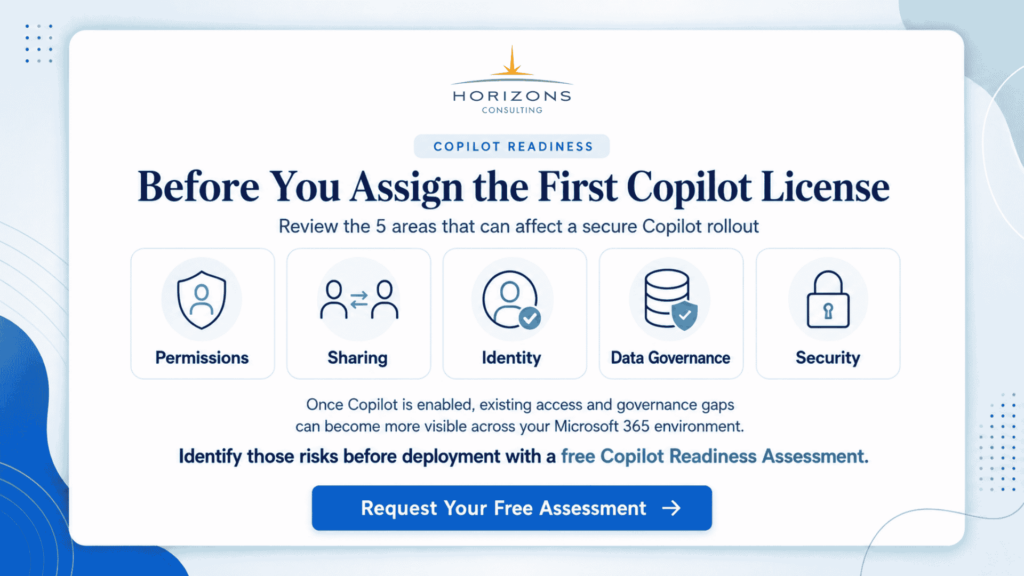
Before deploying AI at scale, organizations should first understand whether their Microsoft 365 environment is actually ready for Copilot and AI-driven workflows—starting with a Copilot Readiness Assessment.
In Microsoft 365, that data lives across SharePoint, Teams, OneDrive, Exchange, Entra ID, and countless connected apps. When that data is overshared, misclassified, unmonitored, or poorly governed, AI doesn’t just become less useful; it becomes risky.
This blog explains why strong data governance is now the foundation of AI readiness, the hidden risks in most Microsoft 365 environments, and a practical roadmap enterprises can follow to safely prepare for Copilot, Work IQ, and agentic AI adoption.
Is Your Microsoft 365 Data Ready for AI?
Before rolling out Copilot, Work IQ, or agentic AI across your organization, identify the data, security, and governance gaps that could create risk.
Start with a Copilot Readiness Assessment and find out what needs to be addressed before your AI deployment scales.
Table of Contents
- AI Is Only as Safe as Your Data
- How Microsoft 365 Copilot Accesses Your Data
- The Enterprise Risks Holding You Back
- A Data Governance Framework for AI Readiness
- How Data Governance Drives Agentic AI Success
- A Practical Roadmap to Fix Your Foundation
- Key Takeaways
AI Is Only as Safe as Your Data
AI is finally moving from experimentation to execution. CIOs, CTOs, and IT leaders are embracing Microsoft 365 Copilot and the new era of agentic AI to automate workflows, streamline operations, and elevate productivity. But as enthusiasm grows, so does concern.
Many organizations discover very quickly that AI reveals content they didn’t expect. Sensitive information appears in prompts. Files from years ago surface unexpectedly. Employees receive insights from data that should never have been accessible in the first place.
This isn’t because Copilot mishandles data. It’s because AI inherits the organization’s existing permissions, oversharing patterns, and governance gaps. If a user has access to content, even accidentally, Copilot does too.
That means organizations must confront a new reality:
👉 Before AI can transform your business, your data must be governed, secured, and structured appropriately.
AI readiness is not about the model. It’s about the data foundation the model relies on.
How Microsoft 365 Copilot Accesses Your Data
Copilot uses Microsoft Graph to connect to the documents, emails, chats, calendars, meetings, and data that a user can already view. This design is intentional; it ensures Copilot respects your existing access controls, sensitivity labels, and compliance boundaries.

Major challenge
If a user can view a file, even unintentionally, Copilot can surface it in a response.
That includes:
- Old SharePoint documents
- Files shared to “Everyone”
- Misconfigured Teams channels
- Inherited folder permissions
- Guest access no one remembers creating
- Overshared libraries and sites
Nothing new is exposed, but everything that was already exposed becomes more discoverable.
This is why oversharing and permission sprawl are now top concerns raised by CIOs and CISOs. They are not new problems, but AI amplifies them.
Securing What AI Can See
- Copilot leverages search across SharePoint, Teams, and OneDrive.
- Overprivileged or overshared content becomes visible.
- Data leaks can occur simply through search responses.
- Sensitive information (PII, salaries, SSNs, R&D docs) may appear in AI prompts if improperly configured.
These risks existed long before AI. AI simply forces organizations to confront them.
The Enterprise Risks Holding You Back
AI readiness is not limited to data quality. It also depends on identity, access controls, device health, application security, and monitoring. Your internal governance framework categorizes these risks into clear areas, and they remain the biggest blockers for successful AI deployments.
Let’s break them down.
Oversharing & Permission Sprawl
This is the number one reason enterprises hesitate to deploy Copilot.
Common issues include:
- SharePoint sites shared with “Everyone”
- Teams channels with unintended members
- Libraries and folders with inherited permissions
- Entire departments granted unnecessary read access
- Guest users retaining access for years
- No centralized access reviews
Permission sprawl happens across multiple layers:
Top-level sites → libraries → folders → files → individual items.
Misconfiguration at any point cascades downward.
AI amplifies that exposure.
Identity & Authentication Weaknesses
AI systems rely on strong identity foundations. When authentication is weak, AI becomes a high-value target.
Common identity risks include:
- Stolen credentials
- Lack of MFA adoption
- Legacy authentication is still enabled
- Privileged accounts without proper controls
- No identity lifecycle governance
- Shadow admin roles created during troubleshooting
If your organization wouldn’t trust a user with broad access, you shouldn’t trust AI agents either, and both rely on the same identity framework.
Device & Endpoint Security Gaps
Unmanaged or unhealthy devices create a direct path for unauthorized data access, especially when AI makes data easier to retrieve.
Examples include:
- Devices without encryption
- Missing compliance baselines
- No Defender policies
- Noncompliant BYOD access
- Outdated operating systems
AI adoption requires confidence that every device accessing data is healthy, secure, and monitored.
Unclassified & Unlabeled Data
If data is not classified, your organization has no way to enforce what AI should or should not surface.
Without sensitivity labels and Purview governance, organizations face:
- Data without assigned business value
- Inability to control external sharing
- Unstructured information is spread across M365
- No enforcement of retention or lifecycle policies
Classification is not a “compliance project.”
It is a core AI safety requirement.
Shadow IT & Unmonitored Applications
Users connect apps, plugins, and third-party tools often without approval. These apps access Microsoft Graph, which means they can access the same data Copilot uses.
Your governance assessment identifies this as AI Shadow IT, which includes:
- Unsanctioned connected apps
- Unknown use of API permissions
- Data flowing outside the organization
- No monitoring or revocation process
Shadow IT becomes significantly more dangerous when AI relies on the same underlying data.
A Data Governance Framework for AI Readiness
To prepare for AI responsibly, organizations need a structured approach based on identity, device security, application governance, data classification, and continuous monitoring. Your internal model aligns perfectly with this.
Here’s what an AI-ready governance foundation looks like.
Identity
Everything begins with identity.
If identity is compromised, AI is compromised.
Key actions
- Enforce MFA for all users
- Use conditional access policies
- Remove legacy authentication
- Implement identity protection policies
- Conduct regular access reviews
- Enforce least-privilege access
Identity is the gatekeeper that determines what AI can and cannot reveal.
Devices
AI should only operate on secure, compliant devices.
Required controls
- Device compliance policies
- Encryption enforced
- Defender for Endpoint baselines
- Remediation workflows
- Blocking untrusted devices
If devices are not secure, data is not secure.
If data is not secure, AI is not safe.
Applications
Many data governance failures stem from app misconfiguration.
Best practices
- Limit risky Power Platform connectors
- Avoid Default environment sprawl
- Prevent the use of personal accounts in automation
- Govern service accounts through Entra ID
- Use solution-aware application lifecycle management
- Approve or block third-party apps intentionally
Your internal materials highlight real destabilizing scenarios, such as user credentials in connectors or widely shared service account passwords. These are easily avoided with proper governance.
Data & AI
This is where AI readiness becomes most visible.
Organizations must
- Apply sensitivity labels
- Classify their data estate
- Prevent oversharing at scale
- Limit external access
- Clean up stale content
- Govern Teams and SharePoint configuration
- Define data boundaries for AI systems
AI cannot distinguish between “sensitive” and “non-sensitive” unless the organization defines it clearly.
Monitoring
AI readiness is not a one-time project.
It is continuous.
Strong monitoring includes
- Sentinel for logs and incidents
- Defender for Cloud Apps to track Shadow IT
- Oversharing detection reports
- Power Platform sprawl analysis
- Regular data governance reviews
- Automated risk reporting
This is also where proactive remediation agents, such as your Data Governance Agent and Cloud Security Agent, become extremely valuable. They allow organizations to detect problems before they become AI exposure events.
How Data Governance Drives Agentic AI Success
As organizations adopt Copilot, Work IQ, and Microsoft Agent 365, governance becomes even more essential.
Work IQ Requires Clean, Governed Data
Work IQ learns:
- How users work
- What data do they use
- What workflows do they follow
If data access is wrong, the intelligence layer becomes unreliable.
Agent 365 Depends on Strong Identity Boundaries
Agent 365 governs:
- What agents can access
- What actions can they take
- How agent permissions are reviewed
This only works if identity, access control, and monitoring are already in place.
Multi-Agent Collaboration Requires Structured Data
When AI agents collaborate across departments, they:
- Retrieve
- Interpret
- Act on
- Update
- Organizational data.
If that data is insecure, unclassified, or overshared, AI cannot safely automate even routine tasks. Data governance directly improves the accuracy, reliability, and security of agentic AI.
A Practical Roadmap to Fix Your Foundation
Your internal governance roadmap outlines a clear approach. Here is a practical enterprise-ready sequence:
Step 1 — Assessment
Start with visibility:
- Permission sprawl
- Oversharing
- External access risks
- Identity weaknesses
- Device health issues
- Power Platform environments
- Data sprawl across M365
Tools like your Data Governance Analyzer and Cloud Security Agent streamline this significantly.
Step 2 — Cleanup & Remediation
Address the highest-risk areas:
- Remove broad permissions
- Reconfigure sharing policies
- Apply sensitivity labels
- Remove stale guest accounts
- Close unused Teams and SharePoint sites
- Secure Power Platform environments
This reduces risk and prepares the environment for AI.
Step 3 — Identity & Device Hardening
Implement:
- Conditional access
- Baselines
- MFA enforcement
- Identity governance
- Device compliance policies
This creates the security perimeter AI needs.
Step 4 — Governance Policies & Lifecycle Management
Establish processes for:
- Access reviews
- Sharing reviews
- Application approvals
- AI usage policies
- Automation lifecycle management
- Change control
Governance is sustainable only when formalized.
Step 5 — Enable AI Safely (Copilot, Work IQ, Agentic AI)
Once the data foundation is solid, organizations can:
- Deploy Copilot with confidence
- Implement Work IQ
- Adopt Microsoft 365 departmental agents
- Introduce multi-agent orchestrations
- Govern AI using Agent 365
This is the point where organizations begin to see real ROI.
Key Takeaways
- AI readiness is not about technology; it’s about data governance, identity, and security.
- Copilot and AI agents surface any data users can view, making oversharing a critical risk.
- Most enterprise environments have hidden permission sprawl that AI will amplify.
- Strong governance across identity, devices, applications, and data is essential before deploying AI.
- A structured roadmap ensures organizations can adopt Copilot, Work IQ, and Agent 365 safely and effectively.
- With the right foundation, AI becomes a strategic enabler instead of a security liability.
Frequently Asked Questions
Why is data governance essential for AI readiness?
AI relies on the same permissions, labels, and access controls already in your Microsoft 365 environment. If your data is overshared, unclassified, or poorly governed, AI may surface sensitive information unintentionally. Governance ensures AI operates safely and predictably.
Does Microsoft 365 Copilot create new access to data?
No. Copilot only surfaces data that a user already has permission to view. However, it makes that data easier to discover, which is why organizations must fix oversharing, permission sprawl, and classification gaps
What are the biggest risks blocking Copilot or AI deployment?
The major risks include oversharing, missing sensitivity labels, weak identity controls, unmanaged devices, and unmonitored third-party apps. These issues can cause data exposure when Copilot or AI agents run.
How does sensitivity labeling help with AI governance?
Sensitivity labels classify and protect data so AI agents can understand what is confidential. Labels enforce encryption, sharing restrictions, and DLP policies, which are critical safeguards for any AI environment.
How do organizations know if their tenant is AI-ready?
An AI readiness assessment reviews your Microsoft 365 environment for oversharing, data sprawl, identity gaps, device compliance, Shadow IT, and monitoring maturity. This establishes a clear roadmap for safe Copilot and AI adoption.